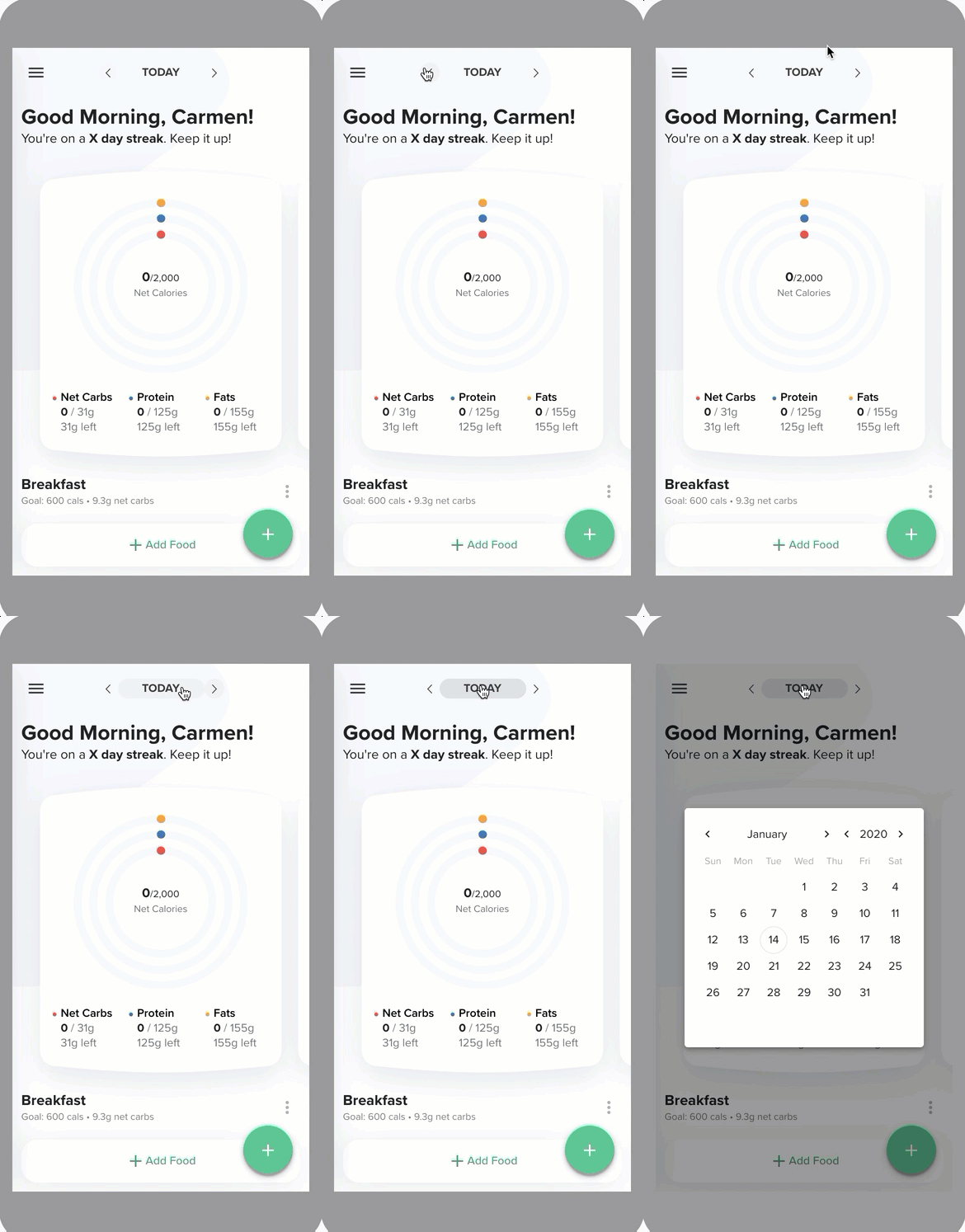
By default, the daily log shows information about the current day. You can change the date to see a prior day or future day, which can be helpful if you missed logging an item or if you want to log an item ahead of time.
To view a different day in the daily log, complete these steps.
- Go to the Daily Log.
- Do either of the following steps.
- To change the date one day at a time, select the < or > buttons to go backward or forward.
- To view a calendar where you can select a date, month, or year, select TODAY or whichever day appears between the < and > buttons.
The daily log displays data for the date you selected.